Why Is My Car Radio Display Not Working?
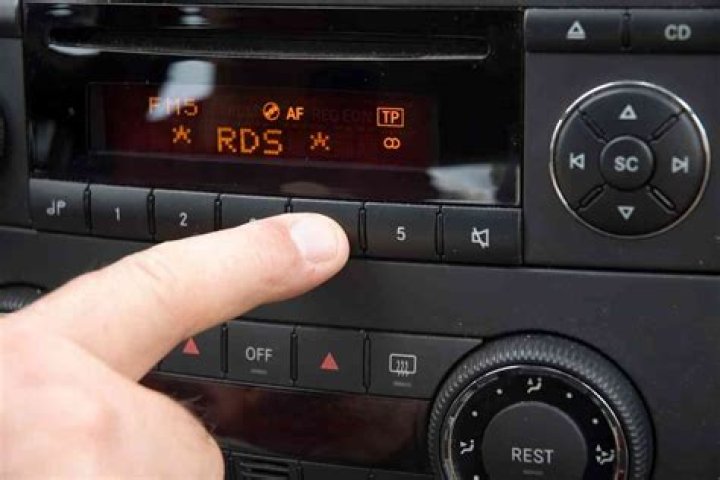
In this wonderful modern world, many of us are used to having digital displays on our car radio systems. A digital radio display is quite convenient, so it’s frustrating to have this display die on you for no reason. Yet, this happens more often than you might think.
Table of Contents
But, before you go to the nearest retailer and get a replacement, you might consider taking a look at some of the causes and the easy fixes for a digital radio display not working.
The cause of your problem may be a simple blown fuse, the dimmer turned down, or just a faulty illumination wire or other connection.
Well, you’re in luck…
I’ve been taking apart mine and trying to make it fail in as many ways as possible for the last three days so that you don’t have to. If you’re asking yourself, “Why is my car radio display not working?” well, you’re about to find out. The solution you need is coming up very soon…
Car Radio Display Overview
Today’s radios seem quite a far cry from their early 50s ancestors. Nowadays your radio can do remarkable things. It can navigate for you, entertain you, and help you park and drive, and it will obey your voice instead of you having to press a button.
That being said, we need to keep something in mind. The more features your car radio has, the more things there are that could eventually go wrong.
Why Is My Car Radio Display Not Working?
Since modern car radios have a screen, most people assume it’s a complicated piece of technology. The truth is, if you’re smart enough to use your smartphone, then you can easily troubleshoot why a digital car radio display isn’t working.
Furthermore, you might very well be more than capable of sorting out the problem by yourself. So, let’s look at some reasons a car radio display doesn’t work.
Most Common Reason for Car Radio Display Problems
The first thing you need to check for is a blown fuse. Fuses are designed for safety when electricity is involved. Additionally, they are made to be the weakest part of a circuit. So, it’s the part that goes first nine times out of ten.
The reason fuses are designed the way they are is so that they can take the force should something such as a short circuit or power surge occur. Thus avoiding damage to more expensive and hard-to-replace parts of the system.
Here’s the thing, though…
If you have blown a fuse, your entire radio system probably isn’t working. Therefore, if you can hear the audio being played from the speakers but the display is still dead, your problem is likely in a different area.
That said, replacing the fuse for your car radio display is an easy task. So, if you have decided that a fuse has blown and it’s causing the car radio display to not work, let’s get started on replacing it.
Where Is The Fuse?
Some older radios will have the fuse installed directly on the radio or close to it. That means you’ll have to remove the radio entirely to get to it and change it.
For some older vehicles, this may require removing the entire dashboard. Unfortunately, to do this, you will have to take it to a professional to get it done properly. However, if your car’s dash is easy to remove and you have some time to spare, you can easily get at that fuse and replace it.
If you’ve got a modern car, you’re in luck. Most of them have all their fuses located in a single spot called the fuse box. This can usually be found underneath your car’s dashboard on the passenger side. Alternatively, it may be hidden somewhere under the hood of the car. Take a look at your manual or check online to find out where it is for your car.
How Do I Know Which Fuse To Replace?
When you find the fusebox, there is likely to be a sticker on the underside of the fuse box cover, or it will be located somewhere close to the fusebox. The list, or diagram, will contain all the fuses and codes that indicate the different systems of the car.
The description code you’re looking for will be something like Accessories, Interior Lights, or Radio. Once you have determined the fuse number, remove the fuse and check whether it’s blown. If it is, replace it with an identical fuse type.
You might be a little confused when you look for “Radio” in the diagram or list. This is because some vehicles will share circuits between fuses. But, double-check the descriptions, and you should be able to find the right fuse. And, if you find any other blown fuses, you should replace those while you’re at it.
Why Is My Car Radio Display Not Working? – Other Causes
If you are sure that a blown fuse is not the reason for your troubles, you will need to start considering other causes. Some of the likely causes to consider are the following:
[bl]- The dimmer on the radio is not adjusted correctly or could be faulty.
- There is a connection problem of some sort between the radio and the screen.
- The main head unit (stereo) is defective or damaged in some way.
- The backlight of the unit is defective or damaged.
- LCD (the entire display) is defective or damaged.
How To Fix A Car Radio Display That Is Not Working
First things first, if your car radio is still under warranty, this is a no-brainer. Simply phone up the retailer or go to them with the defective radio and have them replace or repair it.
If your radio’s warranty has already expired or you don’t have a warranty for whatever reason, the situation will be a bit more complicated. But by no means impossible or even daunting.
Before we go any further…
Keep in mind that each system will be a little different. I have merely attempted to outline broad terms and methods that may help you fix your car radio display. If you are aware of a peculiar quirk in your system, remember to always consult your user manual or do some extra research.
Check The Setting on the Dimmer or the Illumination Wire
Lots of modern radios with digital displays also have a brightness or “Dimmer” setting. This allows for the level of illumination to be turned up or down. And some of these may have a built-in day/night function that automatically adjusts the brightness depending on the time of day.
However, if yours does not have this function, you will need to manually adjust the brightness to suit your needs. Luckily, it should be relatively easy to adjust the brightness setting. Quite often, the brightness can be adjusted using the volume or tuning knobs on the radio.
Likewise, some radio displays will have dedicated buttons on the touchscreen or next to the display. Look for something that looks like a lightbulb with a slider or a plus and minus symbol near it. If adjusting the brightness does help, the next step is to check the illumination wire.
How do you do that?
Remove the radio from the head unit to expose this wire; it is usually orange or black and orange. If you don’t know how to do wiring, you should get someone to help you. Otherwise, you’ll need to teach yourself the basics of stereo wiring first, but that’s beyond the scope of this article.
Check User Settings and Reset the Audio
If your display is completely off, then this fix will not work for you. But, if you can see that your screen just needs to be brighter, then you can try this.
Check the user guide or manual to determine whether there is some way for you to reset the screen brightness. Or, navigate to the menu where it is possible to do this.
Car Radio Connectors/Connections
Just like a computer and a monitor, there is a connection between the radio and the display screen. There are two ways in which the radio and the screen will be linked together; they will either be:
[bl]- Connected via soldered connection points.
- Connected via some kind of mechanical connectors.
Depending on which of the two your system uses, the cause of your problem could be several things. You’ll have to remove the screen to do any of the following fixes. So, if you are unsure how to do this safely, get someone qualified to help you or do some research into how it’s done first.
Some manufacturers have gotten good at making these things hard to open. Others have gotten very good at making it easy. So, I’m sure if you do some digging on YouTube, you’ll find someone who’s tried this besides you.
Car radio display with mechanical connectors
These are easily replaceable since they are designed to be. In most cases, this will solve the problem of a car radio display not working.
Additionally, mechanical radio display connectors are universal and generic. So, you don’t need to get ones that are identical to yours. As long as they’ll fit on the frame, they will get the job done.
Car radio display with soldering points
You’ll need to take a look at all the soldering points and make sure that the wires aren’t loose. If this is the case, then you have the likely cause for your display not working.
So, if you are comfortable with this kind of DIY, then go ahead and resolder those connections. Just keep in mind to get the right soldering solution and the right soldering wire gauge.
Check for a Faulty Head Unit, LCD, or Backlight
So, you have done all the things that I’ve laid out in this article thus far. However, the display still isn’t working. If that’s the case, then the problem might be one of the following:
[bl]- Your main unit is faulty or damaged.
- The backlight of the display is defective or broken.
- The LCD is flawed or damaged.
In any of these situations, the best advice is to take the radio in to be repaired or replaced by a professional. If you’ve got an aftermarket radio installed, then you can have it replaced under the warranty with no problem.
There’s Power But Nothing On The Display
So, the connection and power for the radio and the display screen are working fine. But, the car radio display is not showing anything or is very dim. In this case, you might want to consider doing a hard reset. This will be possible with most radios, even factory ones.
Most modern radios have complicated menus and functions or touch screens that make accessing the settings screen with a dim display very hard. Therefore, they will have a hard reset button built in for these situations.
A little tricky to get at…
The button will be very small and inside a deep plastic recess, which makes just pressing it very hard. What you’ll need to do is get a paper clip or toothpick and push it inside the recess to reach the button.
You can simply hold the button down until you see something happening on the screen that indicates the hard reset has been successful. Note that this will reset the radio to factory default, meaning that your presets and saved channels will be gone.
Display Works, But No Touch Screen
The most likely cause is that some moisture got behind the screen or is still present on the top of the screen. This often happens after cleaning and will go away if the exposure is nominal and you give it a few minutes.
A better way to clean the screen is to use a microfibre cloth such as the quality but affordable Xthel Microfiber Cleaning Cloths for Electronics (6 Pack) and a specially designed screen cleaner. I use and highly recommend the Bryson Screen Cleaner for all screens, not just those on your car radio. It evaporates quickly after application and will do a better job of getting fingerprints and marks off the display.
It will also leave a coating meaning the gaps between cleaning can be longer. Even using a paper towel is a bad idea, so don’t do that.
Reasons A Touch Screen Is Not Working
There are usually two main reasons why a car radio touch screen doesn’t work:
[bl]- Dirt or dust on the screen blocks the contact with your fingers, which causes the touchscreen to become unresponsive. To avoid this, regularly clean the screen with a microfiber cloth and don’t touch the screen when your hands are dirty.
- The touch screen loses its calibration. E.g., you have to re-calibrate the touch screen when you notice it doesn’t respond to your fingers.
Why Does My Car Radio Display Seem To Be Fading?
There are many reasons why an LCD might not be displaying correctly. But, in most cases, the dim display is due to the flat wire not making proper contact with the screen.
Repairing this kind of damage is not necessarily impossible, but it’s just not practical in the modern era. It would be better to have a replacement screen fitted to the system. Luckily, there are many options available, and many have generic fittings.
If you do decide on a replacement, don’t try that at home. It’s not a simple process, and having a professional install and calibrate the screen will save you time and money in the long run. Not to mention spare you a lot of frustration.
Repair or replace?
Well, this will depend on the system you’ve got and the cost involved. Usually, it is cheaper and easier to replace the LCD. But, now and then, a repair job will be the smarter option.
Android Radio Touch Screen Not Working
This gadget has gotten quite popular in recent years but is still prone to its fair share of problems. If the screen is unresponsive, it is most likely because the screen has frozen, and nothing you can do will help the situation.
Luckily, the folks over at Android are quite clever; no surprise there, to be honest. So, all you need to do is hold down all five of your fingers on the screen simultaneously.
The screen will enter re-calibration mode after a few seconds. Then you’ll be prompted with an OK button, press that OK button, and your screen should light up and function normally.
Why Did My Screen Just Bo Black?
Again, these things are pieces of tech like any other. And, like any other tech, they are liable to exhibit erratic behavior.
If the blackout on your screen is not mechanical, then it may have been caused by updating the firmware, connecting a reverse camera, etc. In these cases, try a hard reset of the radio or the touch screen to see if it fixes the problem.
If you are still experiencing blackouts or dimness, then you need to check if the connections are solid and that they don’t need to be cleaned. A simple setting adjustment is enough to get the brightness sorted out.
Internal damage…
This will require major disassembly and work. So, you’re better off seeking out a professional that can diagnose and fix the problem properly.
Don’t miss our handy articles on How Much Does It Cost to Install Car Audio, How to Reset Kenwood Car Stereo, How to Remove Car Stereo Without Keys, Why Car Radio Won’t Turn Off, and How Do I Get Sirius Radio In My Car for more useful information.
Why Is My Car Radio Display Not Working? – Conclusion
Man, I love having a nice display in my ride. Especially a high-end one with visualizations, internet, and streaming capability with a nice high resolution and touch screen functions. What I hate is when that thing dies on me for no apparent reason. Luckily, this is not a unique experience.
There are expensive and complicated reasons why my car radio display and/or touchscreen are not working. But, there are just as many simple and easy-to-solve reasons that can cause this.
Sometimes…
A simple reset using the right button or touch combination will take care of the issue. Other times a bit more in-depth DIY will be needed. And, in extreme cases, it’s a full-on replacement job.
Whichever it may be, do your checks and make sure you identify the real cause of the problem. If you decide to do a DIY fix, be safe and be sure you know what you are doing.
Until next time, happy listening.